Typing breaks the thought.
The idea is already clear in your head. BreezeType lets you say it first, then clean up the text before it lands anywhere public.

Unlimited free dictation
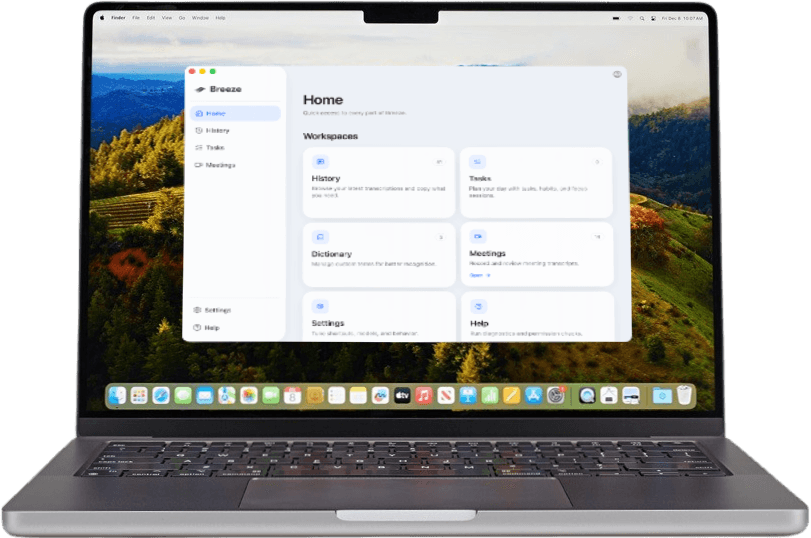
Fast local dictation, custom vocabulary, and clean transcripts that are always 100% free. BreezeType captures from a desktop shortcut, cleans the first pass, and lets you review it before it lands in the app in focus.
Why dictation needs a workflow
BreezeType keeps the gap small between the thought, the transcript, and the finished text. Say the messy version, review the clean one, then move it into the work surface that needed it.
The idea is already clear in your head. BreezeType lets you say it first, then clean up the text before it lands anywhere public.
Unstructured transcripts are not useful work. BreezeType keeps the review step close so the first pass becomes something you can actually send.
Email, chat, docs, tickets, prompts, and reviews all need different formatting. BreezeType adapts the output to the place you are writing.
Dictation is only useful if it fits the way work actually moves. BreezeType keeps the capture simple, then adds the cleanup, vocabulary, history, and review step that make it dependable.
Shortcut
Start dictation from the desktop, talk through the whole thought, and keep the active app in focus.
Cleanup
BreezeType reduces filler, tightens punctuation, and turns rough speech into text that needs less fixing.
Vocabulary
Custom vocabulary and corrections help BreezeType handle names, products, acronyms, and phrases your team uses every day.
History
Dictation history keeps useful snippets close, so repeated phrases and recent context do not disappear after paste.
Works everywhere
BreezeType rides above the stack, so dictation and capture keep working across the apps where teams already write, code, review, and ship.
Context-aware dictation
The same spoken thought becomes formatted specifically for the app you are using it in. An email gets context, a chat gets a concise update, and an agent prompt gets constraints it can actually use.
Local-first control
BreezeType keeps dictation close to the desktop first. You can write quickly, review the result, and decide exactly what moves into another app or connected workflow.
When the network is weak, BreezeType still gives you the local capture path that keeps writing moving.
You decide what gets inserted, copied, shared, or routed into another workflow.
Your history and working text stay on the machine unless you choose a cloud-connected workflow.
Where it fits
BreezeType is for the writing that surrounds every project: updates, specs, reviews, handoffs, prompts, and the follow-up that keeps teams moving.
Turn a spoken status, customer reply, or team handoff into a concise message you can review before sending.
See message workflowsTalk through the rough version, then keep the structure tight enough to become documentation or planning material.
See doc workflowsCapture implementation context, review comments, and agent prompts without breaking the flow of building.
See supported toolsTurn dictated context into owners, next steps, and reusable notes instead of letting it stay trapped in a transcript.
See team workflowsFree on macOS
Unlimited local dictation, bot-free meeting recording, history, tasks, and local MCP access. Sign in to sync or share meetings. No subscription or payment details required.
Download for MacUse the same account on breezetype.com and in the app.